




If your account was created after April 2026:
How do I use my account?
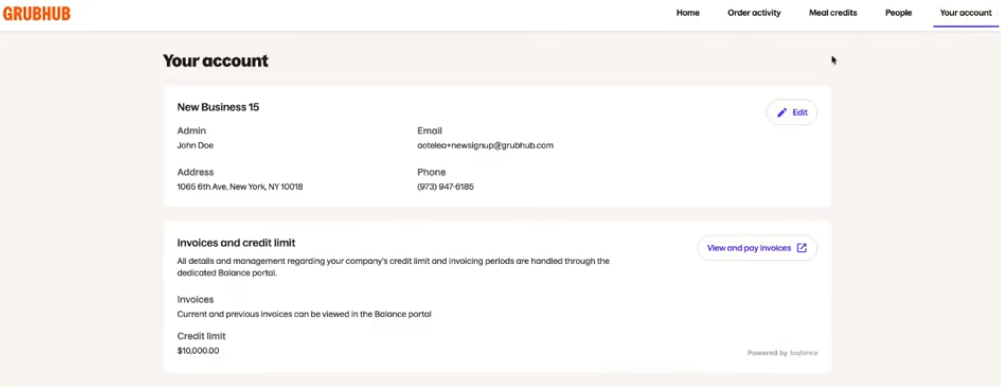
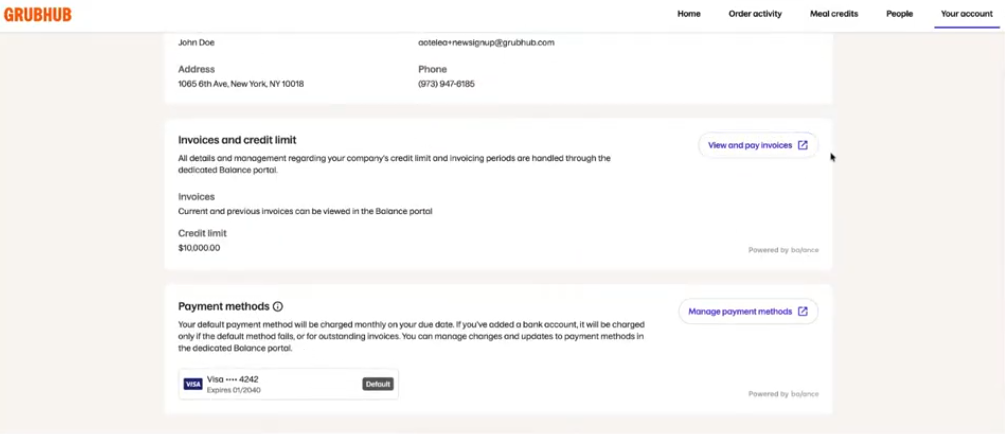
You can use your account page to update your contact information (Address, Phone Number) and view your Credit Limit (if applicable) along with your default payment method.
Under ‘Invoices and Credit Limit’, you will see a button that says ‘View and pay invoices.’ When clicked, you will be taken to your Balance portal where you can view your consolidated invoices and make payments on your invoice or to lower your total balance.
If you wish to update your payment method, you must do so by clicking the ‘Manage payment methods’ button under the Payment Methods section. You will be taken to your Balance portal where you can make those updates.
How do I share feedback about my experience?
We want to hear from you! Share your feedback here.
If you have any additional questions that have not been addressed in this article, please refer to our FAQ page titled: Self-Service FAQs (accounts created after April 2026).
—----------------------------------------------------------------------------------------------------------------------------
If your account was created prior to June 2025:
How do I use my account?
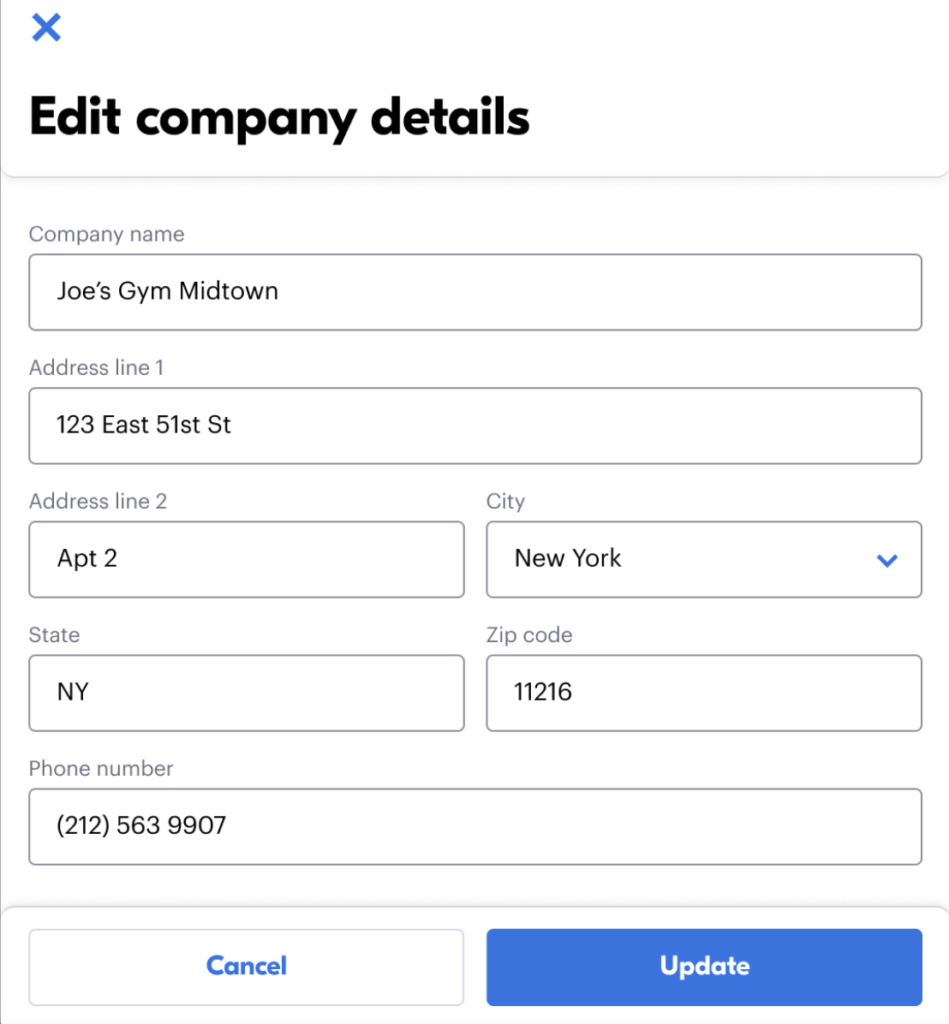
You can use your account to update your contact information (Address, Phone Number) or your payment method.
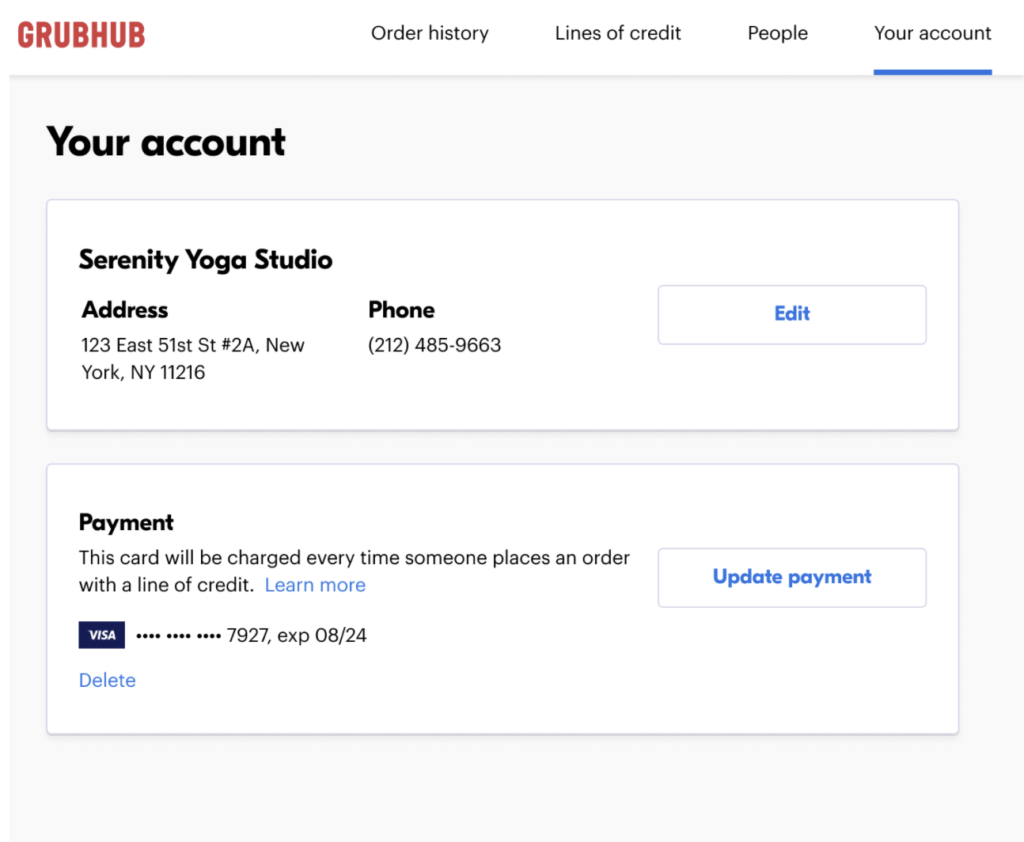
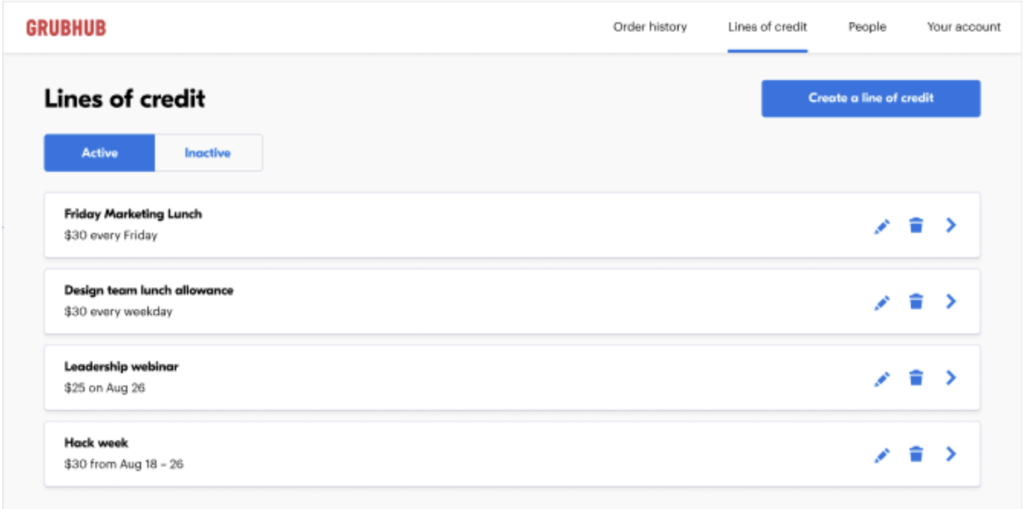
You can also view the orders placed on your account and billed to the credit card on file, view, add, or deactivate Meal Credit and manage the people who can use your Meal Credits.
How do I deactivate my account?
We are sad to see you go! Please share your feedback with us here. First, deactivate all of your meal credits by clicking the Trash Can icon next to each Meal Credit. Once you have deactivated all of your Meal Credits, you can then remove your credit card from the account. You will not be charged for any deactivated meal credits.
How do I share feedback about my experience?
We want to hear from you! Share your feedback here.
If you have any additional questions that have not been addressed in this article, please refer to our FAQ page titled: Self-Service FAQs (accounts created before June 2025).