



Placing Meal Orders
Employees within a tax exempt organization can make the most of their meal perks by ordering through Grubhub.
Taxes will automatically be removed from order totals at checkout for all eligible orders using meal credits.
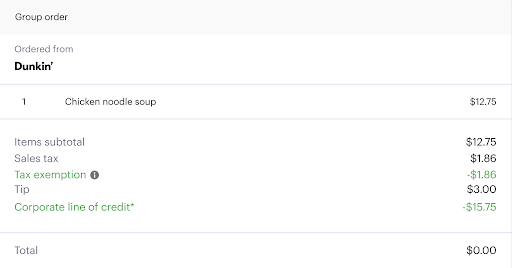
To ensure your orders are eligible for tax exemption, please review the following requirements:
- You must be associated with a Grubhub for Business account that has approved tax exemption status with Grubhub.
- The entire order or part of the order must be paid with a meal credit.
- Orders that are partially paid with a business meal credit will still have taxes fully removed from the entire order.
- You must be logged in as a Grubhub for Business user within a tax-exempt corporation. This is typically your business email address.
- Taxes are only removed for states in which your organization has valid tax-exempt certificates for the client.
- For delivery orders, the restaurant location must be within a state your organization has valid tax-exempt certificates in.
- Orders containing alcohol are not eligible to be purchased using a meal credit. Because of this restriction, no orders containing alcohol will be eligible for tax-exemption.
- Grubhub+ subscriptions are not eligible to be purchased using a meal credit and are therefore not eligible for tax-exemption.
Please contact your company’s Grubhub for Business account administrator for any assistance.